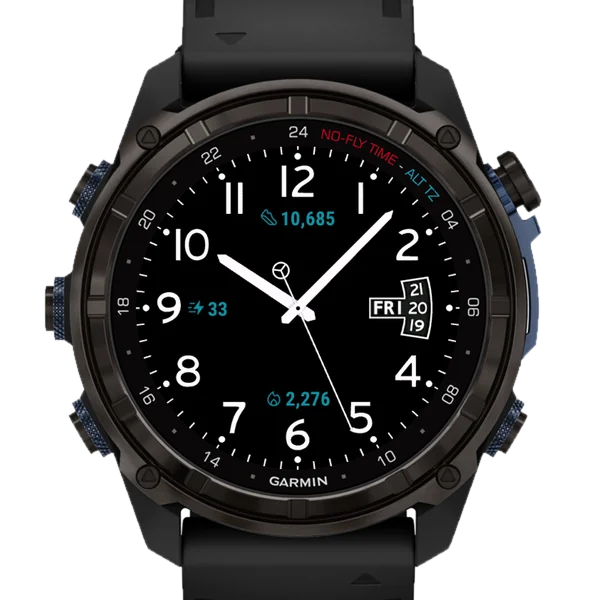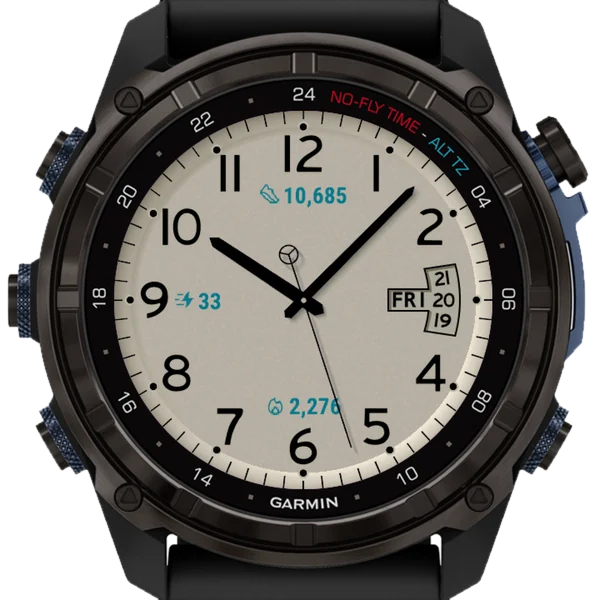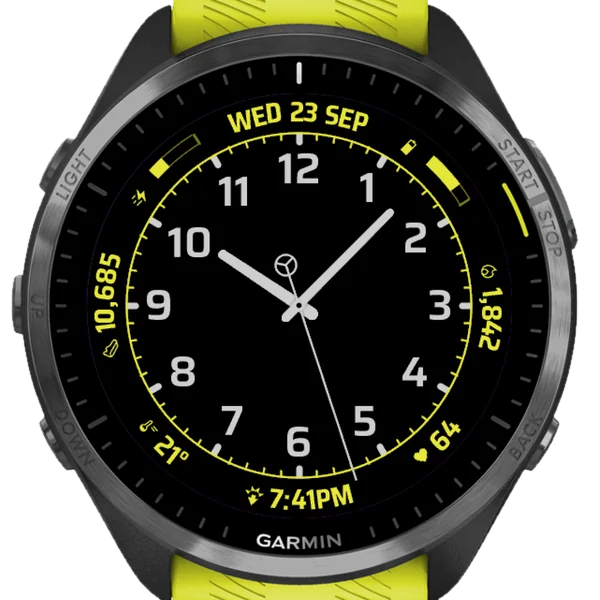
What it is
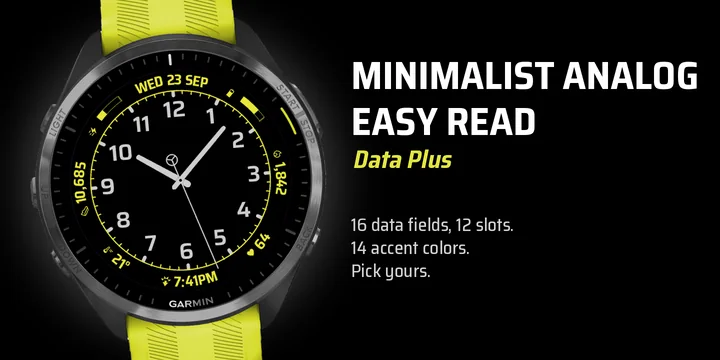
A legible analog watch face that shows your relevant metrics without turning your watch into a dashboard.
Twelve positions around the dial, and every one of them is yours to choose.
Every review helps us decide what to build next. Tell us what you want to see and we will do our best to make it happen.
SIXTEEN FIELDS TO CHOOSE FROM
Heart rate, Steps, Calories, Distance, Floors, Active minutes, Battery, Body Battery, Stress, Notifications, Altitude, Temperature, Sunrise and sunset, Date, Calendar week, Time
Hold a field to open its own Garmin screen (only on watch models with a touchscreen). Heart rate, steps, calories, Body Battery and the rest are one long press away, without leaving the face to go looking.
CUSTOMIZATION
Compact fields take one position, long ones take two, so a full date gets the room it needs. Any field can be set to long when you want it to breathe.
Any position can be left empty for a cleaner dial.
An extra touch: the second hand as a sweeping needle with a counterweight, as a plain needle without one, or as a quieter marker stepping around the minute track. Or none at all.
Fourteen accent colors.
Configure everything on the watch under Customize, or from Garmin Connect. Adding, changing and removing fields works without your phone.
TUNED FOR YOUR SCREEN, DEVICE BY DEVICE
On AMOLED, the face uses the full resolution and color depth for crisp numerals and fine detail, and the always-on view stays readable while dropping the accent color. Our custom anti-aliasing technique gives the hands and numerals smooth, clean edges on MIP (memory-in-pixel) screens, where most faces settle for jagged ones. Also, most faces are drawn once and stretched to fit every watch. This one is tuned device by device, to look its best on the screen you own.
SPEAKS YOUR LANGUAGE
The interface is translated into 32 languages, and the day and month names on the dial into 24. Numbers and times follow your watch settings, including thousands separators, 12 or 24 hour time, and metric or imperial units. Week numbers follow ISO 8601.
Designed for legibility first. Every element earns its place, and anything you don't need can be switched off.
Found a bug or have a request? Email us instead of using the review form. We can reply properly, fix it, and get the update out. This face is actively maintained and updated with new Garmin devices as they launch.
[email protected]
Gallery
-
Forerunner 965Yellow accent 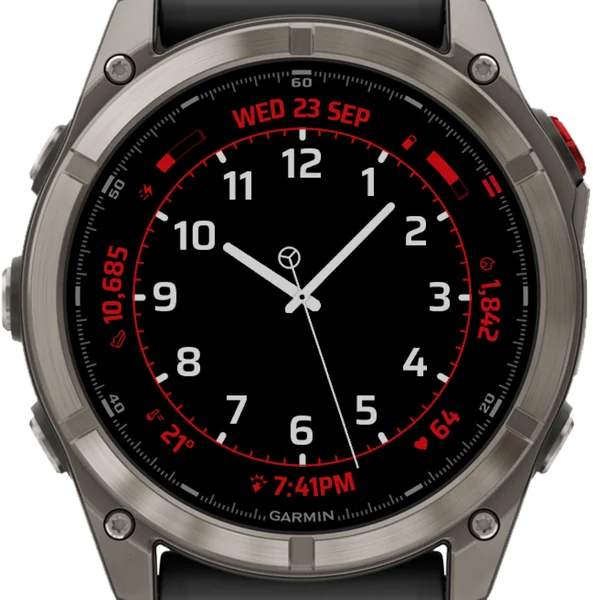
fēnix 8 ProRed accent 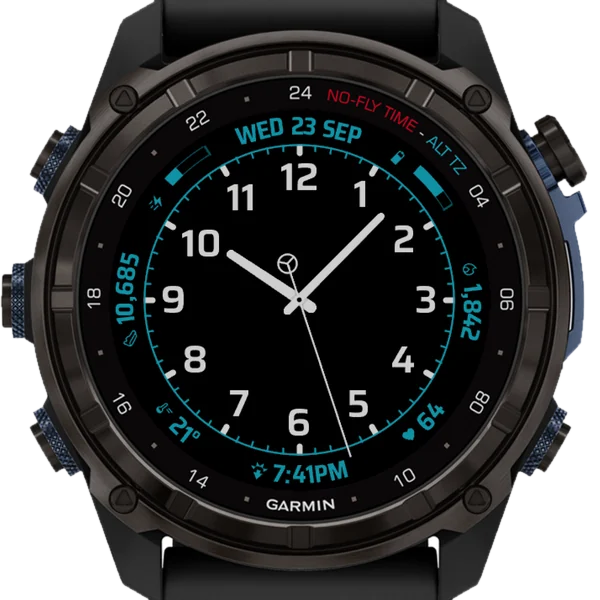
Descent Mk3iTeal accent 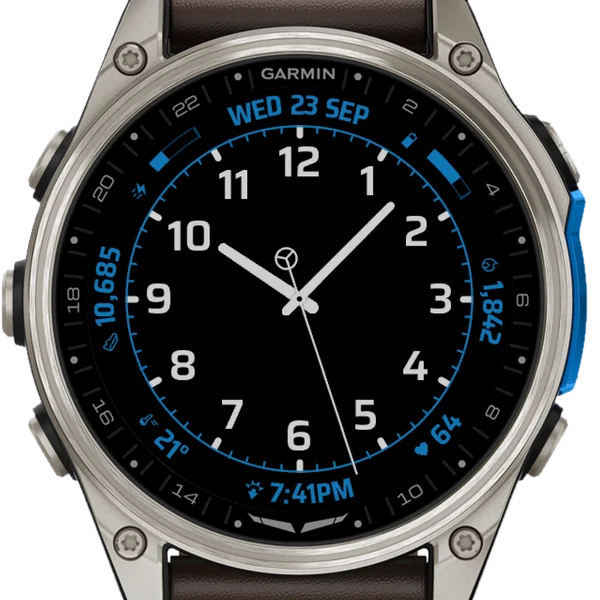
D2 Mach 2Blue accent 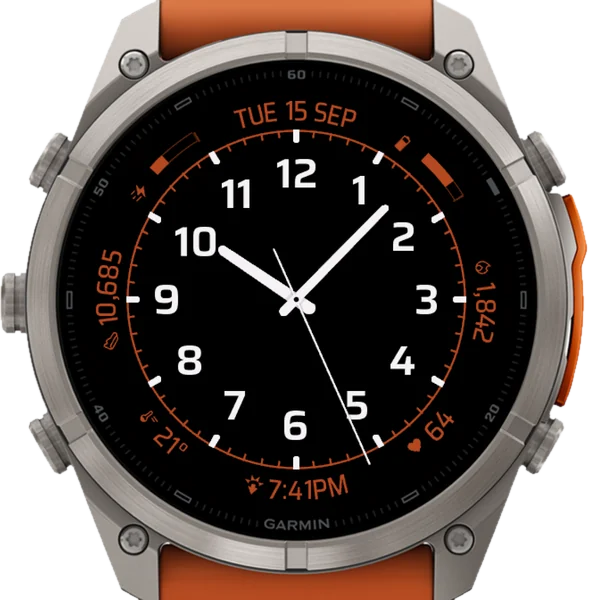
fēnix 9 Pro 51 mmOrange accent 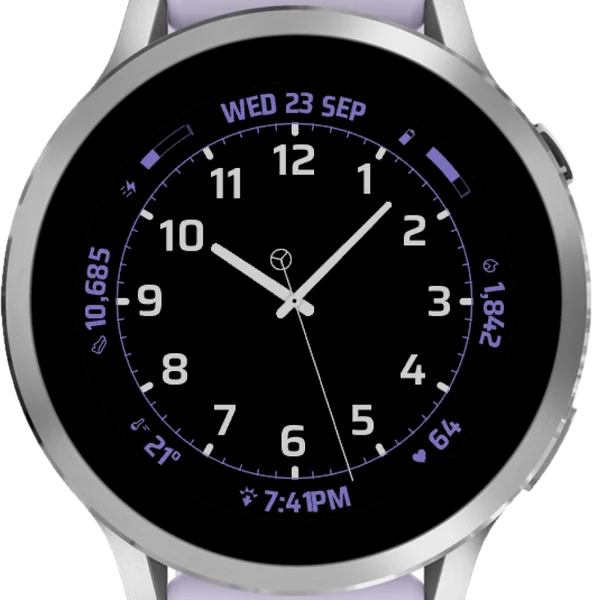
Venu 4Purple accent
Accent colors
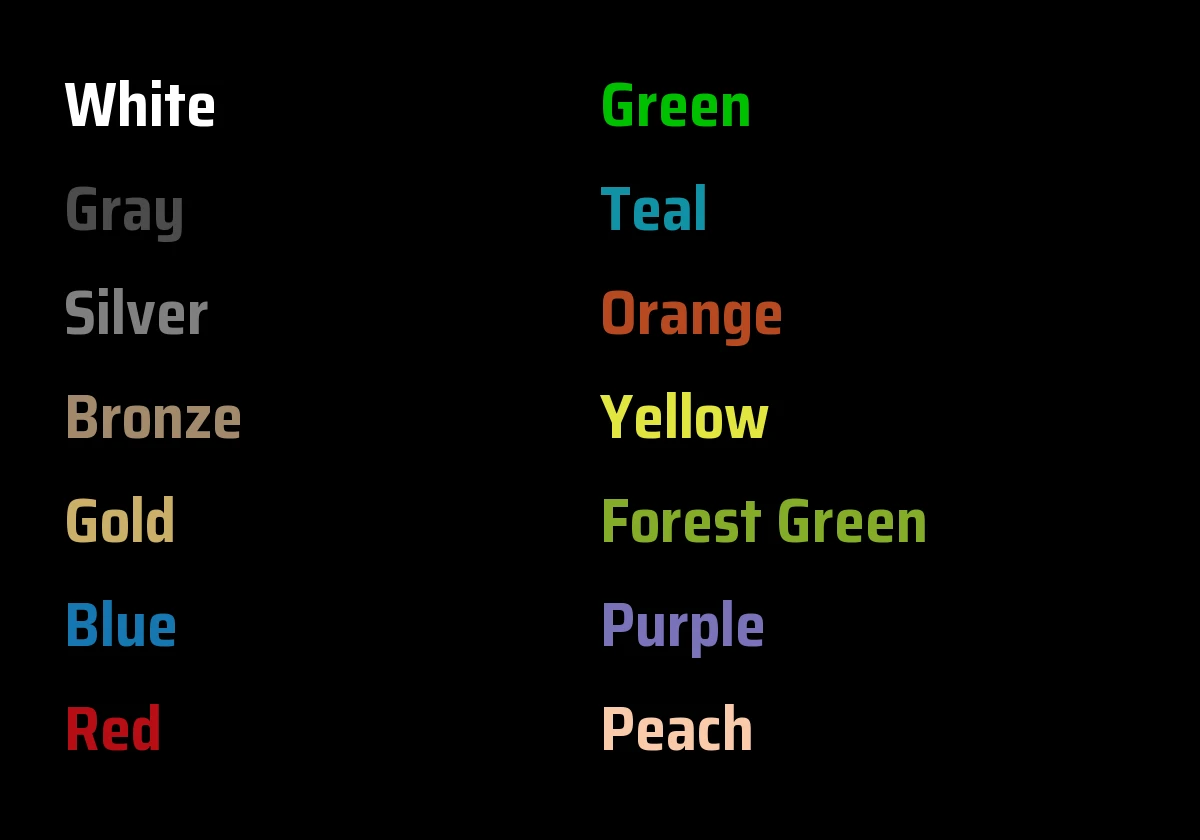
14 accent colors, picked in the face's settings. Here they are on the dial they sit on.
- White
- Gray
- Silver
- Bronze
- Gold
- Blue
- Red
- Green
- Teal
- Orange
- Yellow
- Forest Green
- Purple
- Peach
MIP screens show 64 colors, and each accent takes the nearest one they can show.
How to use it
Install it
Open the Connect IQ Store app on your phone, search for "Minimalist Analog Easy Read - Data Plus" and install it. The face reaches your watch at the next sync. Or start from its Connect IQ store page.
Watches that carry the Connect IQ Store can install it on the watch itself, too.
Make it your watch face
The way in depends on your watch. These are Garmin's own steps, from the owner's manuals. Pick your watch.
On the watch it appears as Minimal. Analog Easy Read Data, which is the longest name the watch will show.
Five-button watches with a touchscreen
fēnix 7, 8, 9 and E, epix, Enduro, tactix, quatix, MARQ, Descent, D2 Mach, Forerunner 165, 170, 265, 570, 70, 955, 965 and 970.
- From the watch face, hold the middle-left button. It is called MENU on fēnix and UP on Forerunner.
- Select Watch Face.
- Press UP or DOWN to scroll to Minimal. Analog Easy Read Data.
- Press START, the upper-right button.
- Select Apply to make it your watch face. To change its settings, select Customize, then Settings.
Five-button watches without a touchscreen
Forerunner 255, 255 Music, 255s and 255s Music, Instinct 3 AMOLED 45 mm and 50 mm.
- From the watch face, hold the middle-left button. It is called UP on Forerunner and MENU on Instinct.
- Select Watch Face.
- Press UP or DOWN to scroll to Minimal. Analog Easy Read Data.
- Press START, the upper-right button. On Instinct it is called GPS.
- Select Apply to make it your watch face. To change its settings, select Customize, then Settings.
These watches have no touchscreen, so the hold gestures are not there. Everything else works the same.
Venu 3, Venu 2, Venu Sq and vívoactive 5
Venu 3 and 3S, Venu 2, 2S and 2 Plus, Venu Sq, vívoactive 5.
- From the watch face, hold the lower button, B.
- Select Watch Face.
- Swipe right or left to Minimal. Analog Easy Read Data.
- Tap it to make it your watch face. To change its settings, select the edit icon, then Settings.
Venu 4, Venu X1, D2 Air X15 and vívoactive 6
Venu 4, Venu X1, D2 Air X15, vívoactive 6.
- From the watch face, swipe left.
- Select Watch Face.
- Scroll to Minimal. Analog Easy Read Data.
- Swipe left on it.
- Select Apply to make it your watch face, or Settings to change it.
Approach S50, S70 and D2 Air X10
Approach S50, Approach S70, D2 Air X10.
Open the page called Customizing the Watch Face in your owner's manual. On these watches you browse the faces by swiping up or down, and select Apply to make Minimal. Analog Easy Read Data your watch face.
Or set it up from your phone
In the Garmin Connect app, open your device, then Appearance, then Watch Face. Find Minimalist Analog Easy Read - Data Plus under Connect IQ, open it and select Settings.
The Connect IQ Store app has the same settings: My Device, then the face.
Choose your settings
A lot of settings, in the order the watch shows them.
- Data slots
- Up to twelve slots around the ring, packed clockwise from the top. On the watch, use Add slot and Remove slot, and give each slot a Data field and a Size. Default: Eight slots: Date (long), Battery, Calories (long), Heart rate, Sunrise / Sunset (long), Temperature, Steps (long), Body Battery.
- Data field
- What a slot shows. Choose from: Heart rate, Steps, Calories, Distance, Floors, Active minutes, Battery, Body Battery, Stress, Notifications, Altitude, Temperature, Sunrise / Sunset, Date, Calendar week, Time. Or pick Off to keep the position empty.
- Size
- Compact takes one position, Long takes two. Twelve compact positions fill the ring.
- Accent color
- The color of the ring and the fields. Choose from: White, Gray, Silver, Bronze, Gold, Blue, Red, Green, Teal, Orange, Yellow, Forest Green, Purple, Peach. Default: Blue.
- Second hand
- Signature is a sweeping needle with a counterweight. Simple is a plain needle. Tick is a marker stepping around the minute track. Or pick Off. Default: Signature.
- Battery in days
- On, the Battery field shows days remaining. Off shows percent. Default: Off.
- Reset fields
- An action, not a switch. It puts the slots back to the eight above. Accent color and second hand stay as you set them.
Hold for the full glance
Hold a data slot and the watch opens that reading's own Garmin glance: the heart rate page for Heart rate, the steps page for Steps, and so on (only on watch models with a touchscreen). Distance, Date, Calendar week and Time have no glance of their own, so a hold on them does nothing.
Hold is the one gesture a watch face gets, and it comes from the touchscreen. On watches without one (Forerunner 255, 255 Music, 255s and 255s Music, and the Instinct 3 AMOLED 45 mm and 50 mm) the buttons belong to the watch: press DOWN from the watch face to reach the glances.
What the readings show
Sunrise/Sunset shows whichever comes next: the sunrise before dawn, the sunset through the day, the next sunrise after dusk.
Time follows the 12 or 24 hour setting of your watch.
Calendar week follows ISO 8601 and shows as W and the number. Weeks start on Monday, and week 1 is the week with the first Thursday of the year.
Numbers use the thousands separator of your watch, and the units it is set to (metric or US/imperial). Temperature comes from the watch's own sensor or its weather, as the watch provides it.
A value too wide for its slot is drawn tighter first. A value still too wide belongs in a Long slot.
Always-on and battery
On AMOLED watches, the always-on view keeps the dial readable and drops the accent color and the second hand. On MIP watches the face stays fully drawn.
Your language
The settings are in 32 languages, and the day and month names on the dial in 24, following the language of your watch.
Check your watch
It runs on 65 watch models, AMOLED and MIP. The face reads the screen type when it starts and draws for it. The Connect IQ store page lists every supported model: check yours before you install.
Version and what changed
VER1.0.3
Battery can show days remaining instead of percent.
Reset fields brings the data fields back to the defaults.
Color optimization for MIP displays. Other various small improvements.